

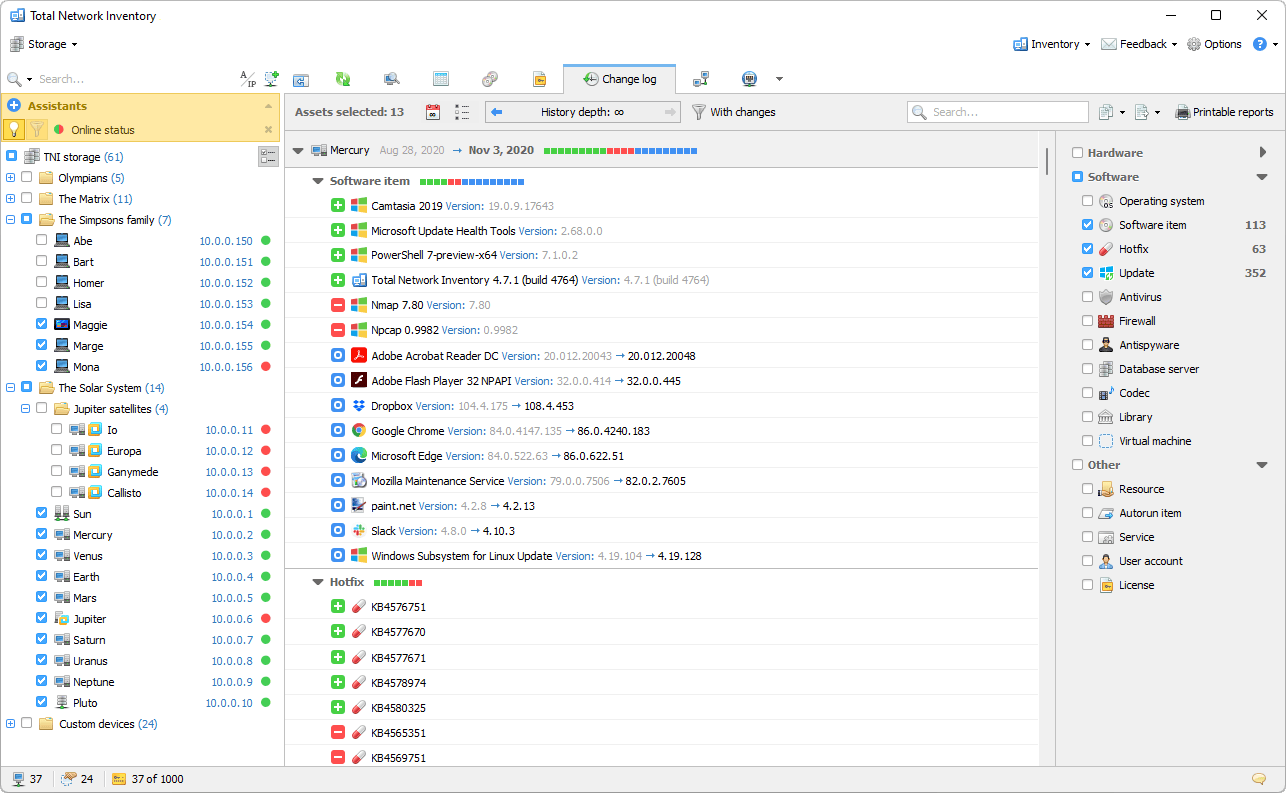
Overview
In IT, managing assets efficiently is crucial for maintaining operational integrity and compliance. Total Network Inventory 6 Professional stands at the forefront of this domain, offering unparalleled tools for conducting thorough audits of software inventories and ensuring strict adherence to the licensing regulations.
In this context, licensing compliance means that the software installed on your organization’s computers and devices complies with the terms of the licenses purchased. This includes not installing more copies of the software than allowed by the agreement or using the software for longer than permitted.
Implementing software license management tools in your IT infrastructure is a strategic decision that improves operational efficiency and reduces the risks associated with non-compliance with licensing requirements.

TNI 6 provides a centralized hub for all of the applications running on Windows, Unix, and macOS systems within an organization. It comes equipped with advanced search and filtering tools that enable IT professionals to efficiently navigate, categorize, and explore the vast array of software and devices deployed across the network. Users can highlight key assets for quick access, label and annotate programs for better organization, and utilize a variety of features to effectively manage their IT asset inventory.

One of the exceptional features of Total Network Inventory is its integrated, refreshable application catalog. This feature eliminates the tedious setup process associated with SAM (Software Asset Management) modules by automatically classifying applications into commercial, freeware, or trial versions. It further simplifies asset management by categorizing software and assigning appropriate icons for easy identification in the inventory asset management system, thereby saving your valuable time and resources.

The software offers robust tools for managing a comprehensive license inventory. It allows for the detailed recording of all licenses, including their attributes, activation codes, validity periods, and associated costs. It also facilitates the organization of all the related documents, such as receipts and end-user license agreements (EULAs), thereby ensuring that all the licensing information is readily accessible and well-documented in the asset inventory management system.

A critical aspect of Software Asset Management is maintaining an up-to-date overview of the software distribution and license status across the network. TNI 6 Professional excels in this area by providing real-time insights into which applications are licensed or not. It automatically detects activation codes for widely used programs, offering a comprehensive view of licensing discrepancies and enabling prompt resolution of compliance issues.

The software offers advanced reporting capabilities, allowing users to generate detailed reports on various aspects of software platforms and licensing. These reports can cover installed applications, license overviews, and in-depth analyses of licensing issues. The reporting process is further enhanced by the ability to schedule tasks, automate report generation, and share reports in multiple formats, ensuring that critical information is always at hand in the asset inventory management software.

Total Network Inventory Professional includes a range of additional features designed to optimize IT asset management. These include tools for monitoring the presence of software on specific hardware, manually or automatically consolidating various versions of identical applications, and refining search outcomes with regular expressions. The platform also provides quick access to information about any application through direct links to Google or the developer’s site.
Software inventory
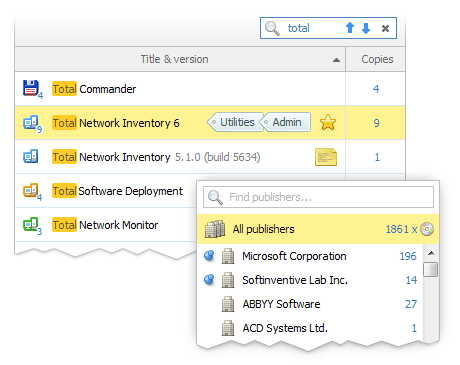
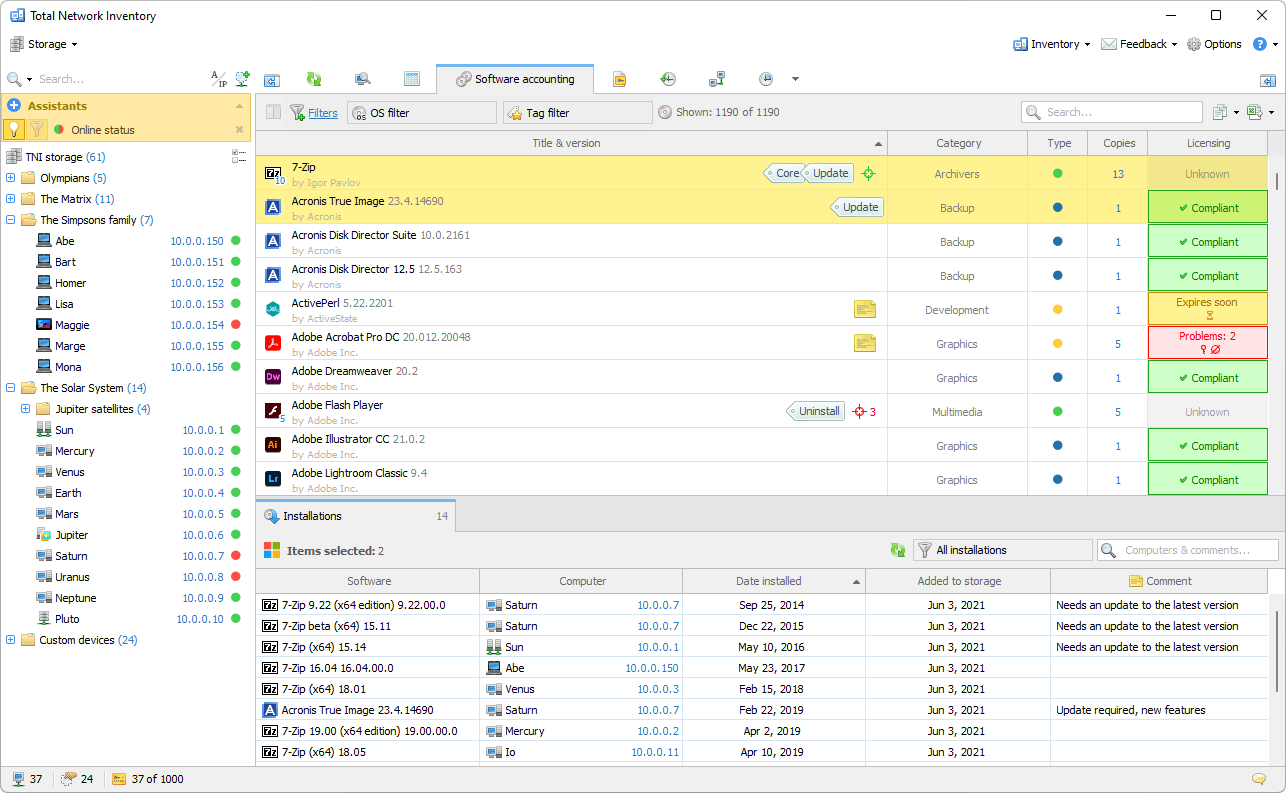
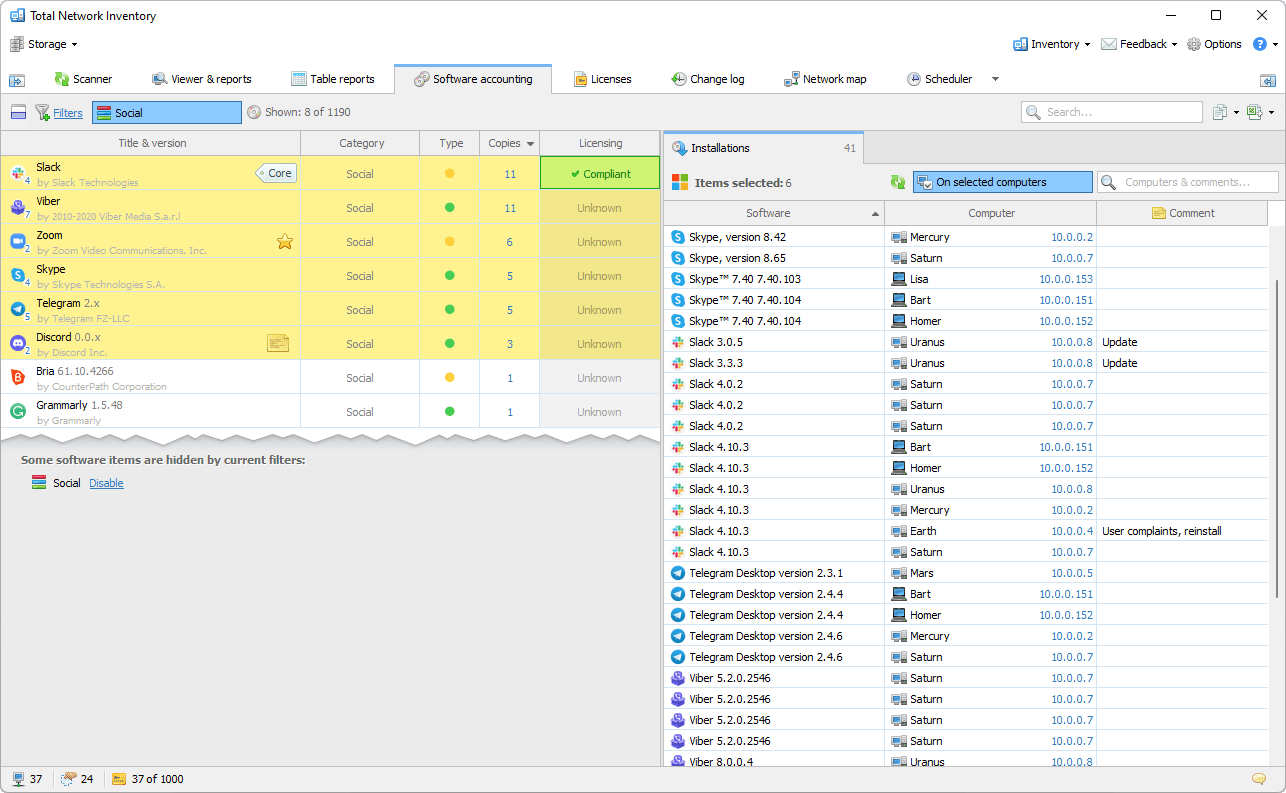
Clearly recognizing the importance of a cohesive approach to software management, TNI processes applications from both Windows and macOS platforms, presenting a complete software catalog in an optimally organized manner. This allows for immediate searches by name and version, and the application of filters to view programs by a specific publisher or installed on selected devices.
The ability to mix and match search and filter options as needed provides a flexible and powerful tool for efficiently managing software assets in the inventory asset tracking system.
The embedded database in TNI significantly enhances the efficiency of software inventory tasks. By automatically categorizing the detected applications, assigning distribution models, and showcasing icons, the database streamlines the process. This allows users to focus on linking software to the corresponding licenses, further simplifying asset management.
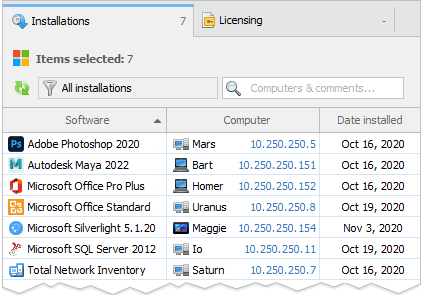
Total Network Inventory Professional offers instant insights into all installations for selected software assets. This feature is invaluable for IT professionals who need to maintain a clear overview of program distribution across the network, enabling them to manage assets more effectively and ensure compliance with the licensing agreements.
Reports
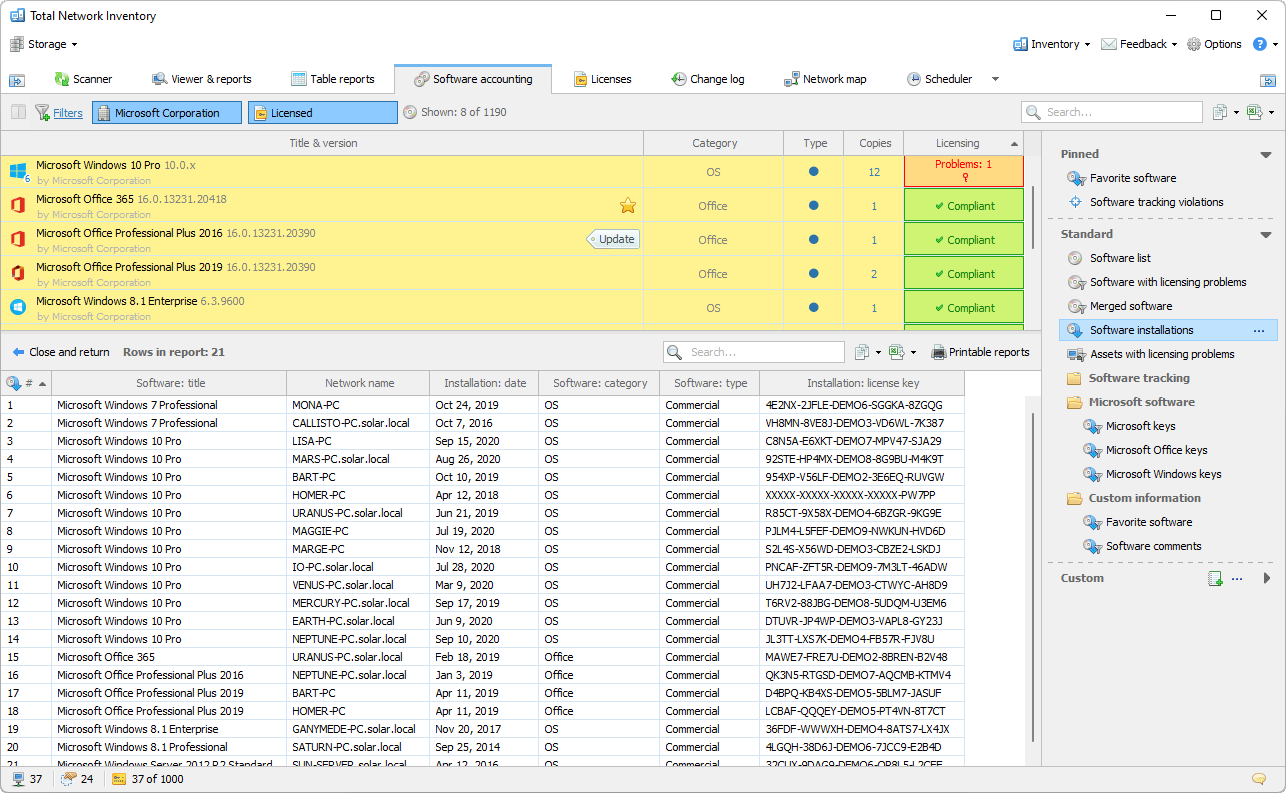
The platform provides access to detailed reports from the SAM module, featuring numerous pre-designed templates that allow users to generate structured, tabular reports with just a few clicks. Regardless of whether users need a list of unauthorized software, discovered activation keys, or any other data, the appropriate report is always within reach.
Reporting is an essential part of license management. TNI generates comprehensive license compliance reports that can be printed, shared, or exported. The reporting module comes with instant search and filtering capabilities.
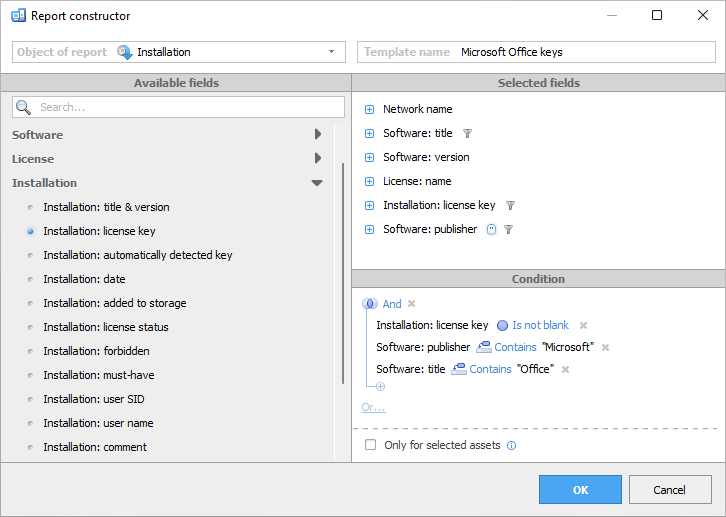
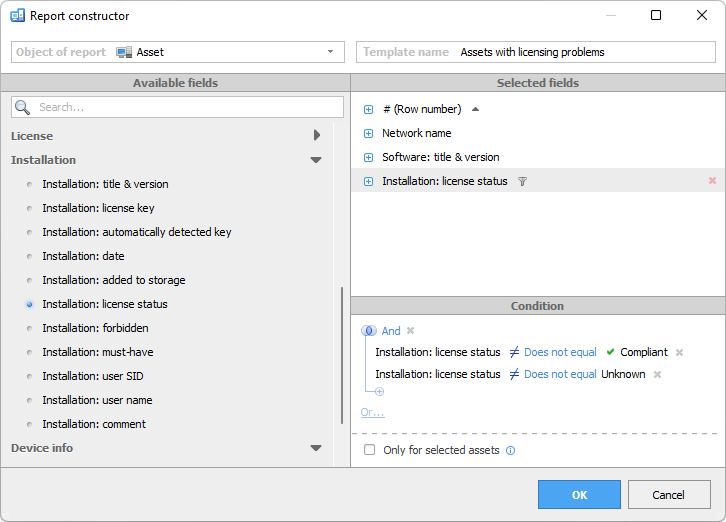
For situations where pre-designed templates do not meet specific needs, Total Network Inventory offers a dedicated report builder. This tool allows users to create personalized reports by selecting the required conditions according to specific criteria, ensuring that the final report provides a consolidated view of the required information. In addition, frequently used reports can be pinned to the top of the template list for quick access.
The platform simplifies the report production process by enabling users to effortlessly duplicate, print, or export reports in popular formats. Moreover, the option to fully automate report distribution through task scheduling ensures that critical reports are generated and shared on time without needing manual intervention.
License management
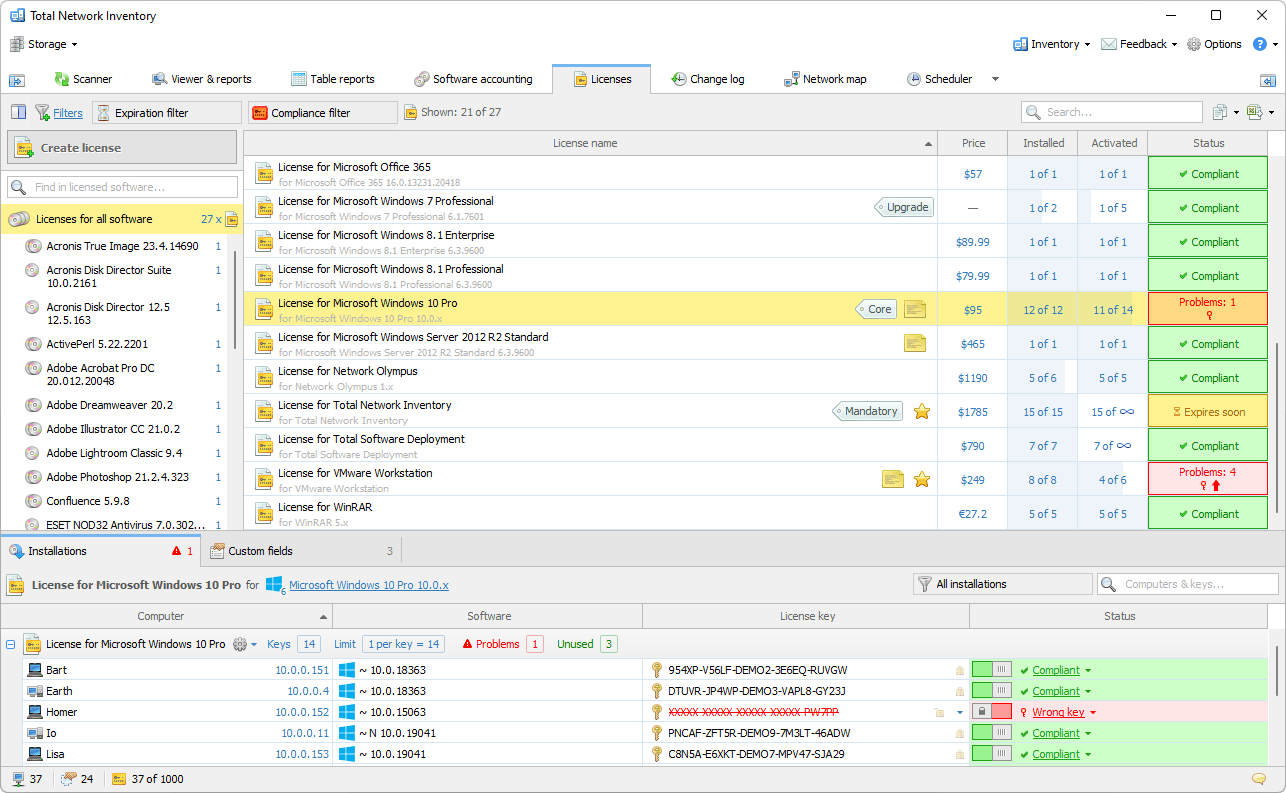
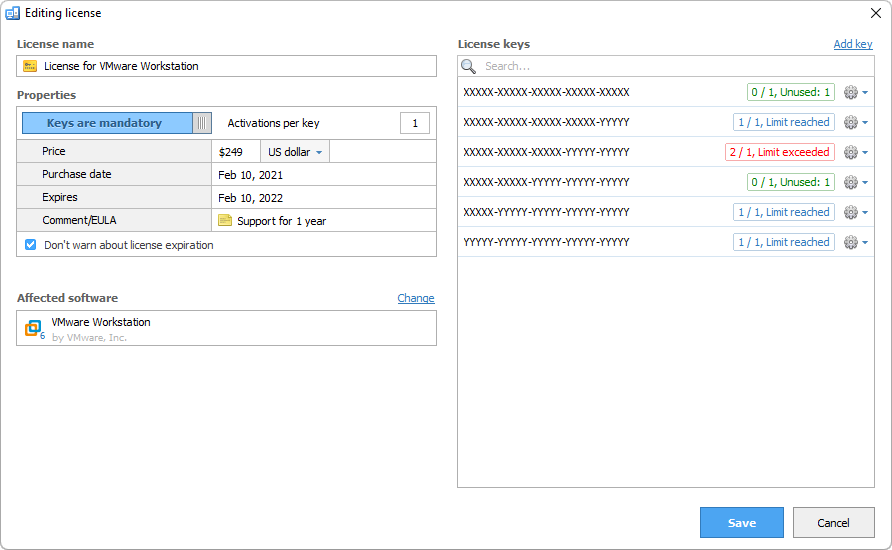
Understanding that software licenses encompass more than just activation counts, TNI adopts a comprehensive SAM approach. It enables the recording of each license purchase in the asset management inventory system, linking it to the corresponding application, detailing its cost, and expiration date. Users can define custom licensing models, manage activation keys and their permitted activations, and attach relevant documents or images, creating a comprehensive and well-structured license inventory.
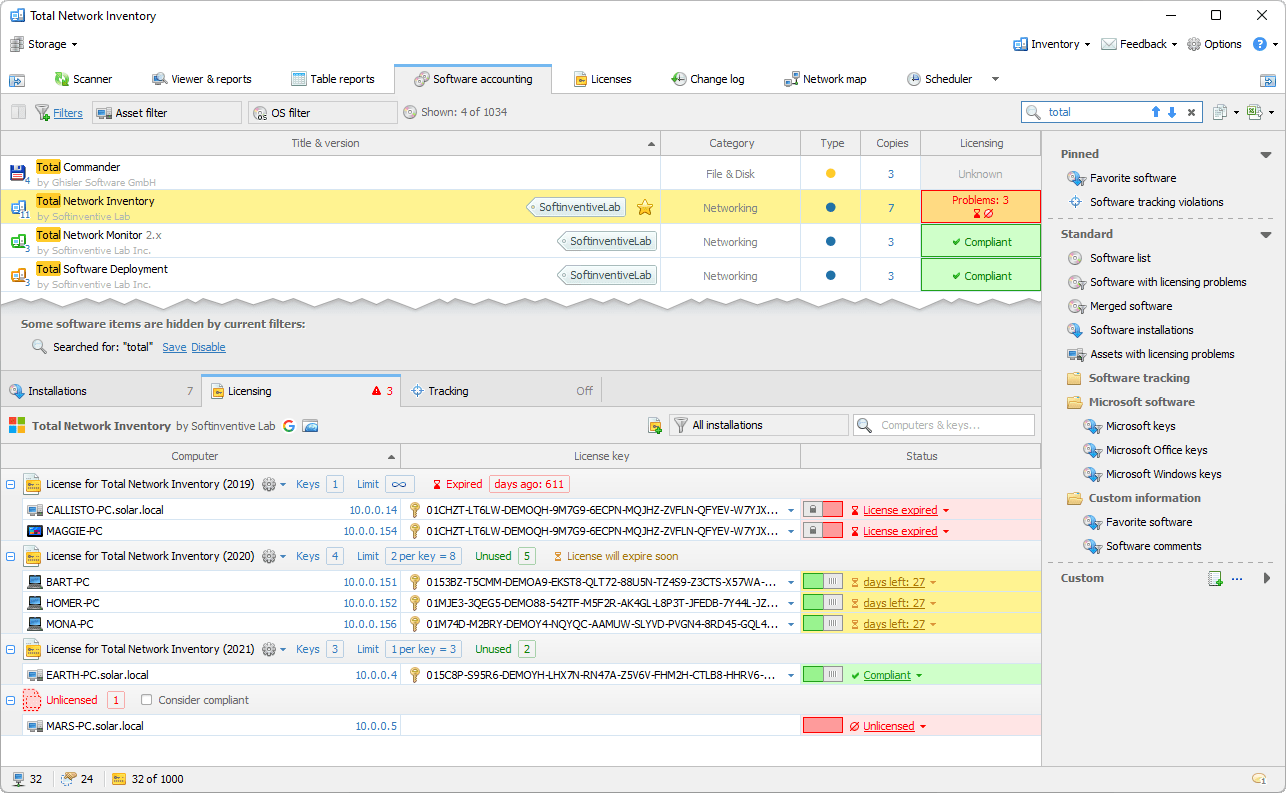
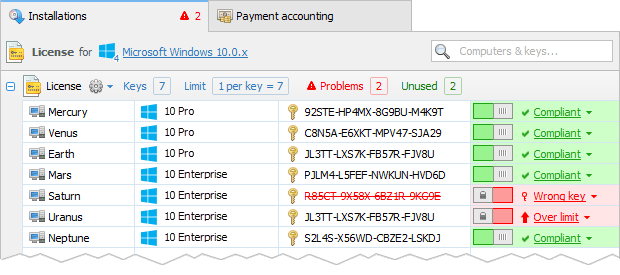
Does it provide an activation key? Perhaps several keys? How many activations does each key allow?
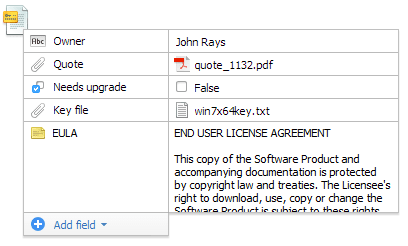
Add further important information, including documents, images, or any other files.
Create as many as you need and manage app licenses effectively. After it is created and set up, you’ll automatically see your licensing status.
Licensing status
The platform uses detailed software distribution and license data collected from the network to provide a clear assessment of license compliance status. It displays the licensing status for each program or license, using distinct colors to highlight issues for easy identification. A click-through feature provides detailed problem analysis, ensuring that any licensing discrepancies are quickly understood and addressed.
The system also identifies activation keys for certain applications, flagging any installations that possess a key but that lack a corresponding license. This feature is crucial for maintaining compliance and avoiding the potential legal and financial consequences associated with unlicensed software use.
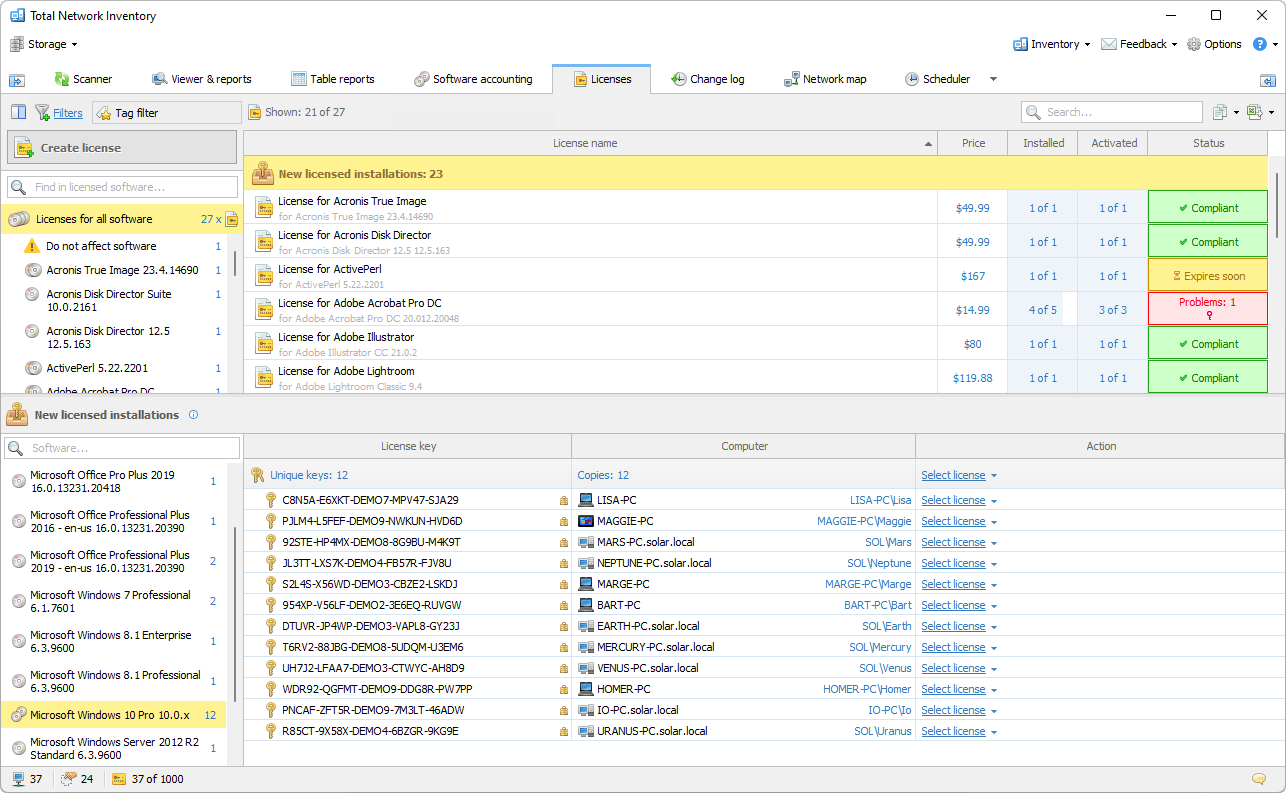
Once calculated, the status is kept up to date and automatically reflects any changes in the inventory.
Other features
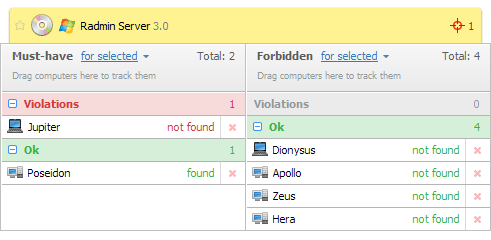
As a network administrator, you may expect certain applications to be installed on specific devices, but not on others. With the Software Tracking feature, you can mark a program as Must-have or Forbidden for defined groups of computers, ensuring that only authorized applications are installed and reducing security risks associated with unauthorized software.
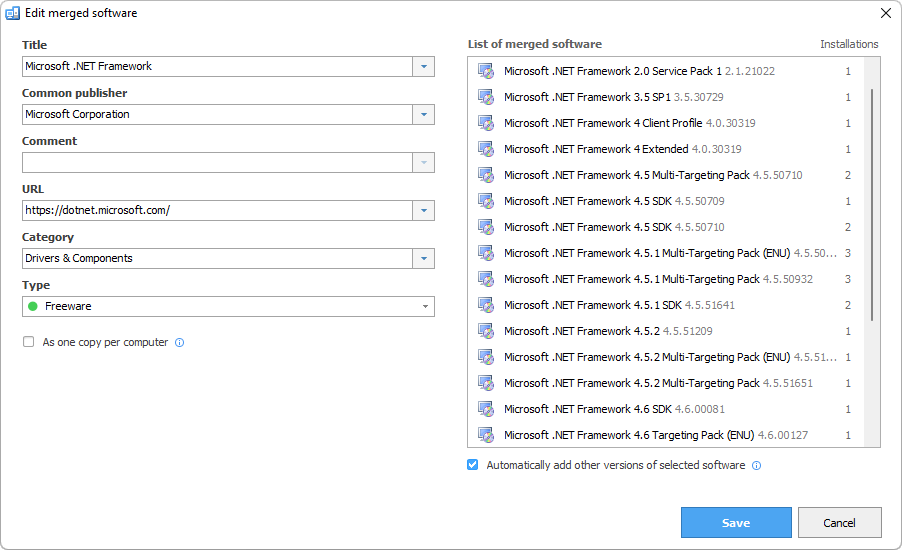
The platform simplifies software management by enabling the merging of various versions of the same application. This can be done manually or through automation, depending on the user’s preference. Consolidating versions helps maintain a clear and up-to-date software catalog, making license management and compliance easier.
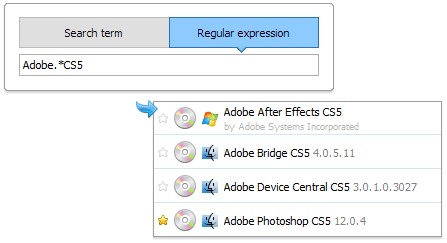
Total Network Inventory Professional enhances software management with advanced search capabilities. The software accounting feature provides rapid access to developer information or Google searches, helping users quickly understand the purpose and function of any application. The platform also supports complex searches using regular expressions, allowing for refined search results and the ability to save search parameters for future reference.
Manually tracking software licenses on corporate networks with hundreds or thousands of computers is extremely difficult and error-prone. That is why software license tracking tools are critical to maintaining ongoing compliance.
By using Total Network Inventory Professional to automatically track software assets, IT administrators can save a huge amount of time thanks to its well-designed, intuitive interface and wide range of features.
