

Hi Admins! 🦸🏽♂️
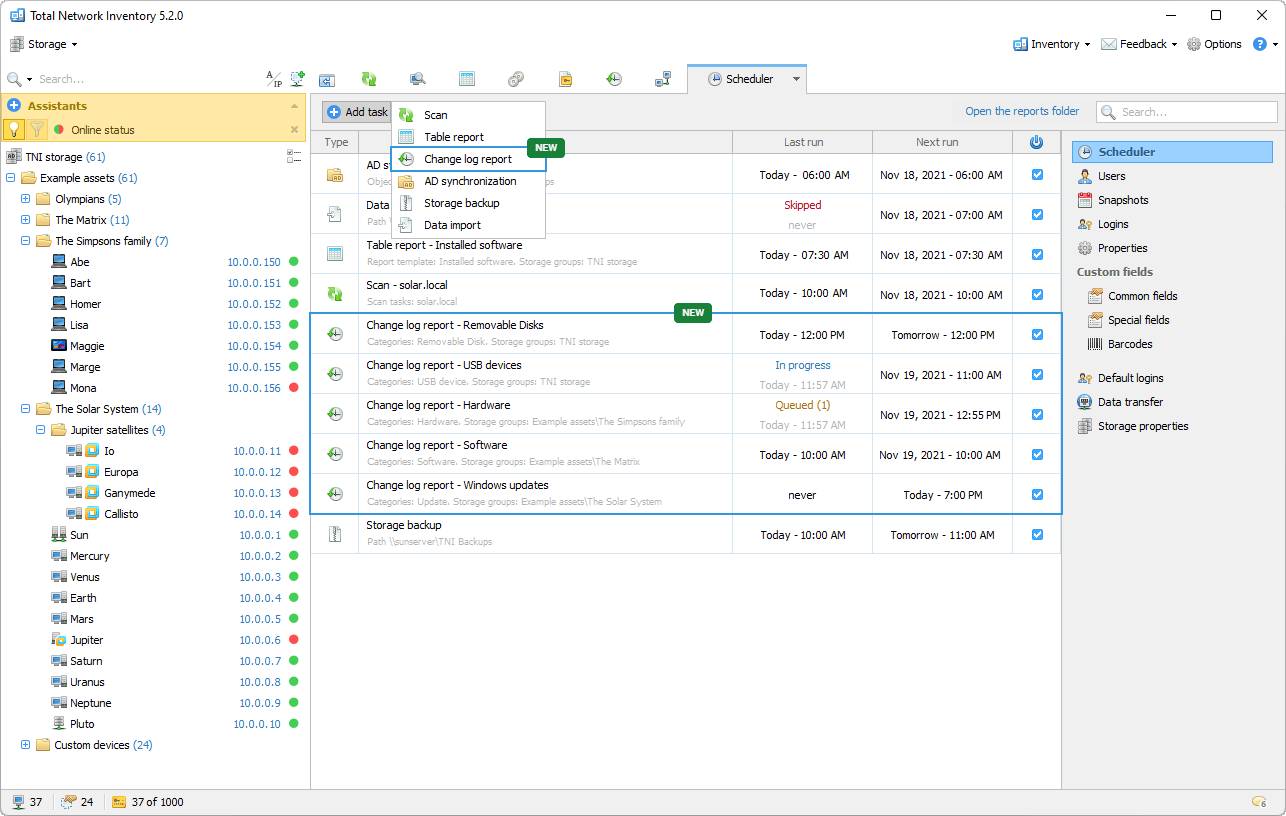
Today we have released another update for Total Network Inventory: Change log is now also integrated into the Task Scheduler!
Initially, a new Task Scheduler could handle the following tasks: network scanning, synchronization with AD, building table reports, data import and backup. From now, you can build reports on hardware and software changes of computers and servers in your network on a schedule.
We have also implemented an extended collection of information about USB devices: names are displayed immediately with detailed information, and popular today USB hubs are now identified and included in reports.

This update …
Come, on October 5, 2021, Microsoft is releasing their new operating system, which may not be suitable for for all of your computers.
Workstations must meet these requirements:
In this TNI update, we have prepared a special report named “Windows 11 Ready”, which will quickly get you …
Here comes another update! This time, it’s an improvement to the software accounting module.
We love to see good things happens on their own. The new version of Total Network Inventory has one more feature that delivers just that. The in-house database of popular software will make your work with the list of programs installed on network computers even more comfortable. TNI will assign icons to programs and determine software category and type, and that means less manual work. AutoMagical!
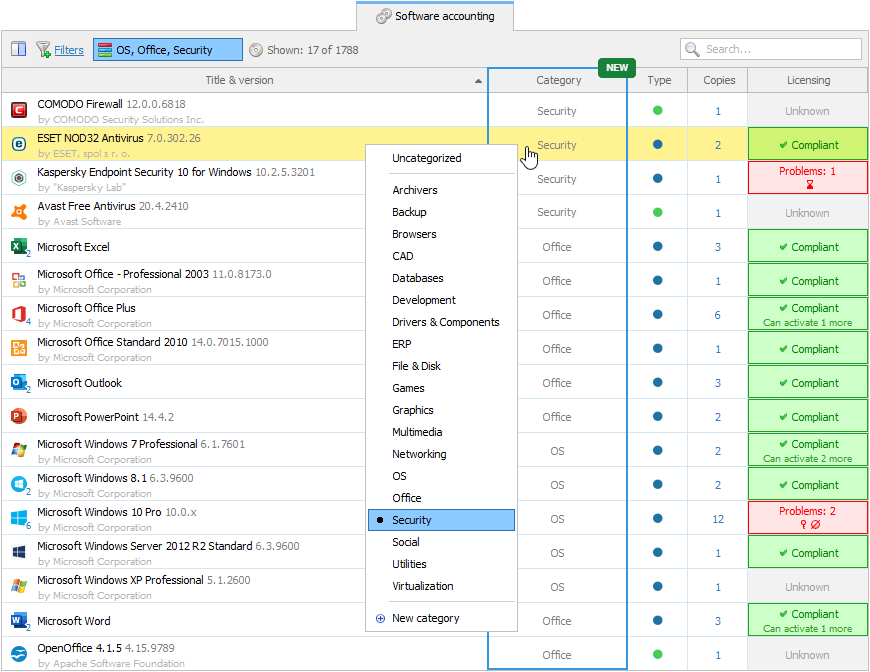
The software list is shorter, cleaner, prettier.
In …
Hello friends! In this blog post we will continue to introduce you to Total Network Inventory 5. We’ll take a closer look at three new features that were not yet available in TNI 4. But first, a reminder that if you are looking for the full list of changes, it is always available in the main menu: Help Check for Updates.
Scheduled table reports and resident agent scan results can be automatically sent to email, FTP server, or saved to a selected folder. You can always choose a method for sending data that suits you.
The …
Friends, today we present to you a new milestone in the development of the program that you all love so much. Meet Total Network Inventory 5!
The development of the 5th version was carried out in parallel with the release of TNI 4 updates, so the number of changes and improvements is huge. Thus, it will take 2 posts in our blog to tell you in detail about the main innovations. Ready? … Let’s go!
That’s right, friends. The scheduler is now located not in the program settings, but …
Greetings, you beautiful people! Did you miss the updates? Then download the new version of Total Network Inventory right here, right now!
The main feature of TNI 4.9.0 is a new flexible and versatile constructor of table reports for Software accounting and Licenses.
You are no longer limited to a set of standard templates. The new report editor allows you to use all of the familiar features that you have in Table reports. Select the fields you need, enable filtering by adding conditions, and get exactly the information you need …